
Every tuning job starts the same way: getting a clean, complete copy of the software out of the engine control unit. Tools such as KESS3, K-TAG, Autotuner and Magicmotorsport Flex all do this, but they don’t always reach the ECU memory the same way. Knowing the difference between OBD, bench, boot and BDM/JTAG access helps you pick the right method, avoid damaged ECUs, and send a file that a calibrator can actually work with. This guide explains each method, the safe workflow that applies to all of them, and the fault codes you may meet along the way.
What is actually being read?
A modern ECU holds several memory areas. The flash memory contains the program code and the calibration data: the maps, limiters and torque model that a tuner modifies. Many ECUs also have an EEPROM or emulated EEPROM area holding adaptations, immobiliser data, VIN and coding. Depending on the access method, a tool may read only the calibration area, the complete flash, or everything including EEPROM. A “full read” means more options later, especially if something goes wrong.
The four access methods
OBD: through the diagnostic socket
With OBD access the ECU stays in the vehicle. The tool connects to the diagnostic socket and talks to the ECU over its network, usually CAN, or K-line on older vehicles. It uses the ECU’s own programming routines. OBD is fast and leaves no marks on the unit, but it is only possible when the tool supports that ECU’s protocol and the ECU is not locked against it. On some ECUs OBD reads only the calibration area, so a full backup may need another method.
Bench: ECU on the table, through its connector
Bench mode means removing the ECU and powering it through its own connector pins using the tool’s cable or a harness. The tool still communicates with the ECU’s software, but under controlled conditions and often with access to more memory areas, including EEPROM on many units. Bench is the usual choice when OBD is not supported, the vehicle wiring makes OBD difficult, or a fuller backup is needed. The key risk is wiring: the pinout must match the ECU exactly.
Boot: forcing the processor into its startup mode
In boot mode the ECU is opened and the processor is placed into its built-in bootstrap mode, normally by connecting specific test points on the circuit board. In this state the processor accepts low-level commands before the normal software runs, so the tool can read and write the complete memory. Boot mode is invasive, but it is also how many technicians recover an ECU that no longer communicates after a failed write.
BDM and JTAG: the processor’s debug interface
BDM (Background Debug Mode) and JTAG are debug interfaces built into certain processors. Connecting to pads on the board gives very direct access to memory, independent of the ECU software. These methods are slower and need precise connections, and they are mainly used on specific processor families where other routes are not available.

The tools in brief
KESS3 (Alientech) combines OBD, bench and boot access in one interface. K-TAG is Alientech’s earlier bench and boot tool, widely used for direct access work. Autotuner covers OBD, bench and boot with a strong focus on newer ECU families. Flex from Magicmotorsport also supports OBD, bench and boot and offers additional modules. Support changes with every software update, so the only reliable answer for a specific ECU is the tool manufacturer’s own vehicle or ECU list. WinOLS is different: it is not a reading tool but the editor many calibrators use to work on the file after it has been read.
A safe workflow that applies to every method
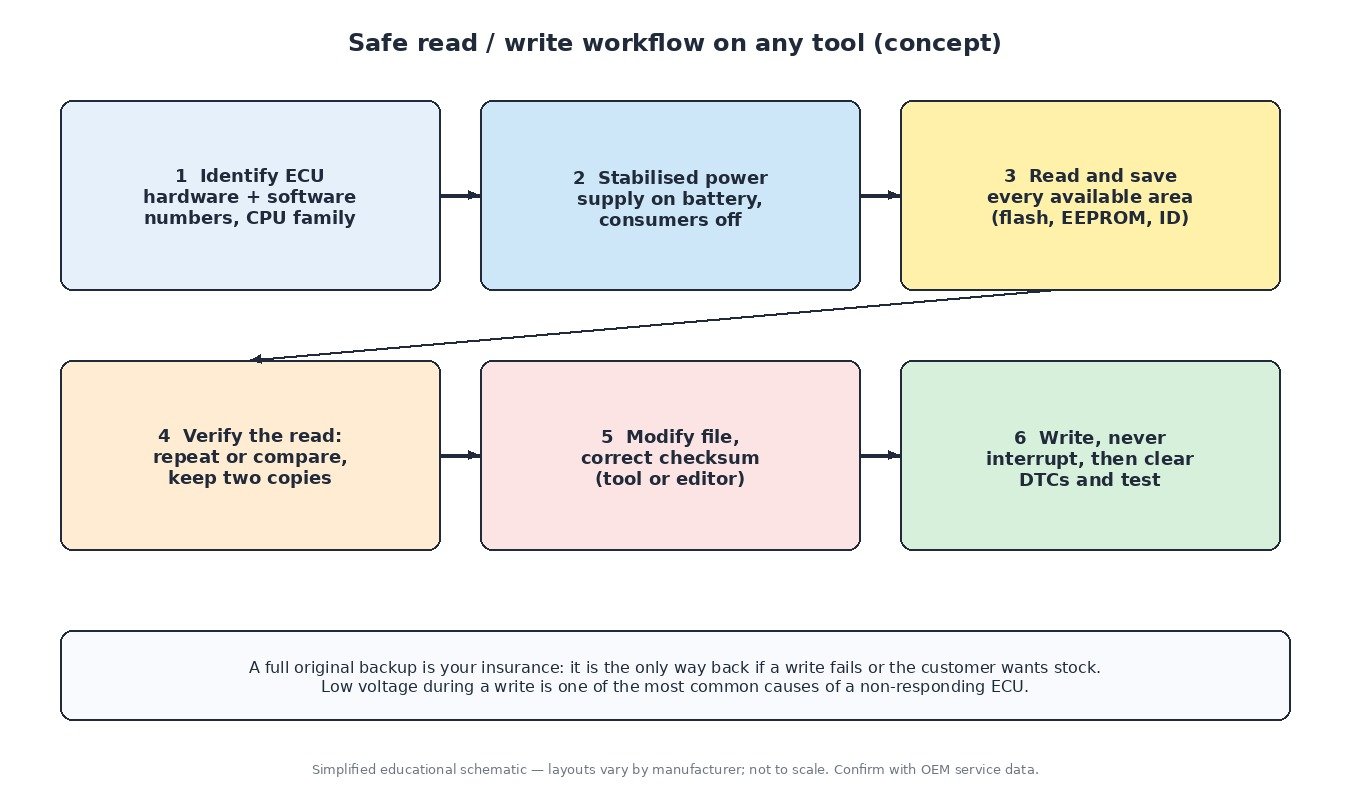
- Identify the ECU: hardware number, software number and processor family, so you choose the right method and protocol.
- Stabilise the power: connect a stabilised power supply or a battery support unit, switch off consumers, and keep voltage steady for the whole session.
- Read everything available and save the original files immediately, including EEPROM when the method allows it.
- Verify the read: a second read or the tool’s own verification confirms the file is complete. Keep two copies in separate places.
- Modify and correct checksums: the tool or editor must correct checksums before writing, or the ECU may not start.
- Write without interruption, then clear stored codes and test drive while logging.
Cars, trucks, tractors and bikes
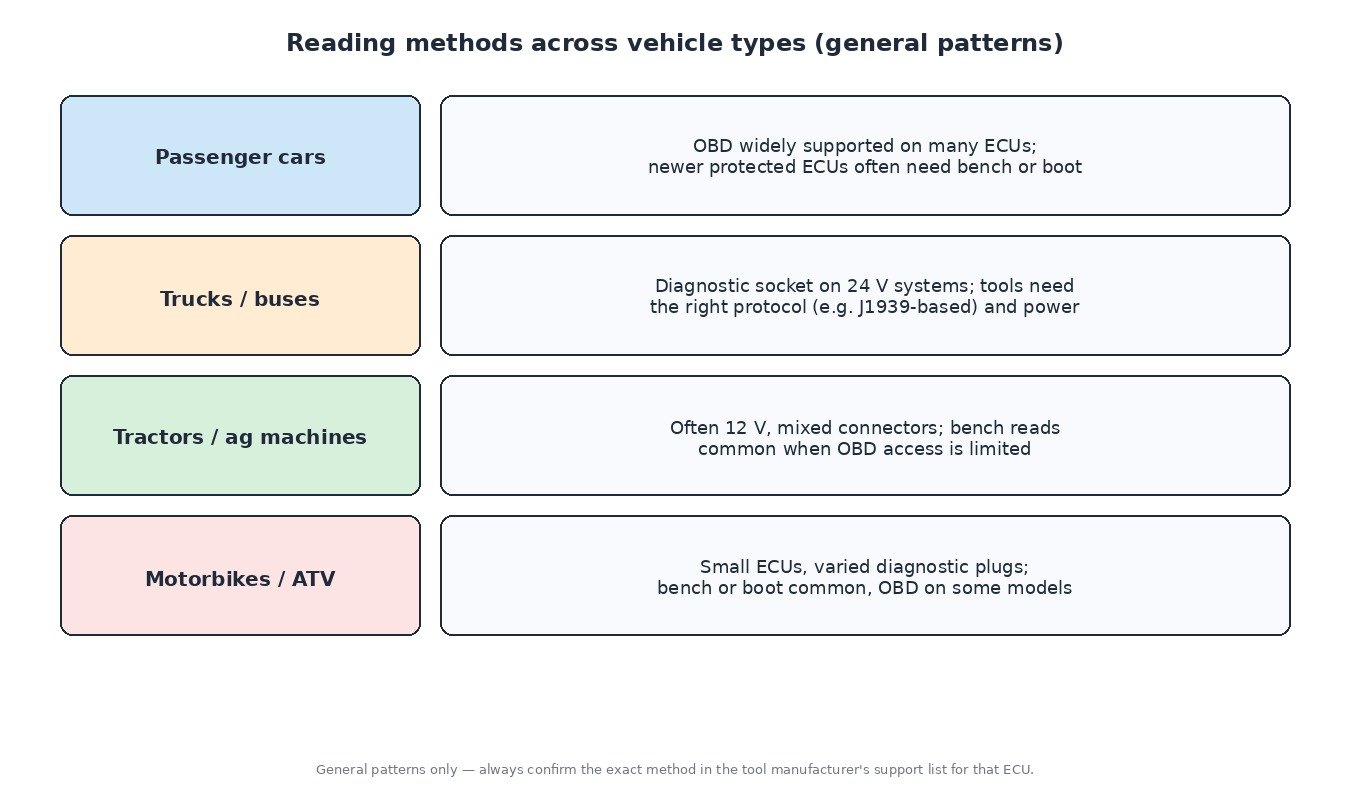
On passenger cars OBD is common on many ECUs, while newer protected units often require bench or boot. Trucks and buses run 24 V electrical systems and heavy-duty diagnostic networks, so the tool needs the correct protocol and cable. Tractors and agricultural machines use a mix of connectors and ECU suppliers, and bench reads are common when OBD access is limited. Motorbikes and ATVs often have small ECUs and varied diagnostic plugs, with bench or boot frequently needed.
Related fault codes (DTCs)
These generic OBD-II codes (SAE J2012) are the ones most often seen around ECU reading, writing and power problems. Exact wording varies slightly between manufacturers.
| Code | Meaning | Typical causes |
|---|---|---|
| P0601 | Internal Control Module Memory Check Sum Error | Modified file written without a correct checksum, corrupted flash after an interrupted write, internal ECU fault |
| P0602 | Control Module Programming Error | Incomplete or failed programming session, wrong software for the hardware, ECU not fully coded |
| P0603 | Internal Control Module Keep Alive Memory (KAM) Error | Battery disconnected or very low, poor ECU supply or ground, internal fault |
| P0604 | Internal Control Module Random Access Memory (RAM) Error | Internal ECU fault, supply voltage disturbance |
| P0605 | Internal Control Module Read Only Memory (ROM) Error | Corrupted or incorrect flash content, failed write, internal fault |
| P0606 | Control Module Processor | Internal processor or monitoring fault, sometimes triggered by supply problems or water damage |
| P062F | Internal Control Module EEPROM Error | Corrupted EEPROM data, wrong EEPROM written back, internal fault |
| P0630 | VIN Not Programmed or Incompatible – ECM/PCM | Replacement or cloned ECU without the correct VIN, incomplete coding after programming |
| P0513 | Invalid SK Key (immobiliser) | Immobiliser data mismatch after an ECU swap or EEPROM change, unmatched key |
| P0560 | System Voltage | Weak battery, charging system fault, poor connections |
| P0562 | System Voltage Low | Battery discharged during long reads or writes, charger not connected, alternator fault |
| P0563 | System Voltage High | Over-voltage from a faulty charger or regulator, incorrect power supply setting |
| U0001 | High Speed CAN Communication Bus | Wiring or termination fault, a module pulling the bus down, connector damage |
| U0100 | Lost Communication With ECM/PCM “A” | ECU not powered or not booting, CAN wiring fault, ECU left in a failed programming state |
| U0101 | Lost Communication With TCM | Gearbox control unit offline, wiring, or TCU not responding after a flash |
What it means for tuning
The quality of the tuning file starts with the quality of the read. A complete original read with clear identification lets the calibrator match the software exactly, correct checksums properly and return a file that writes back cleanly. Always keep the original, note which method and tool you used, and send that information with the file.
Ready for an engineered tuning file? Upload your original ECU read at ECUFileMarket.