
Reading and writing an ECU is the job of tools such as KESS, K-TAG, Autotuner or Flex. Changing what is inside the file is the job of a calibration editor, and WinOLS is the editor most professional tuners know by name. This guide explains what a calibration editor actually does, how maps are found and scaled, what map families exist in a typical engine calibration, and how a careful workflow protects the engine on cars, vans, trucks, tractors and motorcycles.
Reading tools and editors do different jobs
A flashing tool communicates with the ECU over OBD, on the bench or in boot mode, and produces a copy of its memory. It does not understand what the bytes mean. The calibration editor opens that copy and gives the engineer views to work with: a hex view, a text view, a 2D line view where maps show up as recognisable shapes, and a 3D view for checking a map’s surface once it has been defined. Other editors exist, but the principle is the same in all of them.
An ECU file contains several areas. The bootloader and application software are the program code. The calibration area holds the data that the code uses: thousands of values, curves and maps. Tuning work is done almost entirely in the calibration data, not in the code.
From raw bytes to a usable map
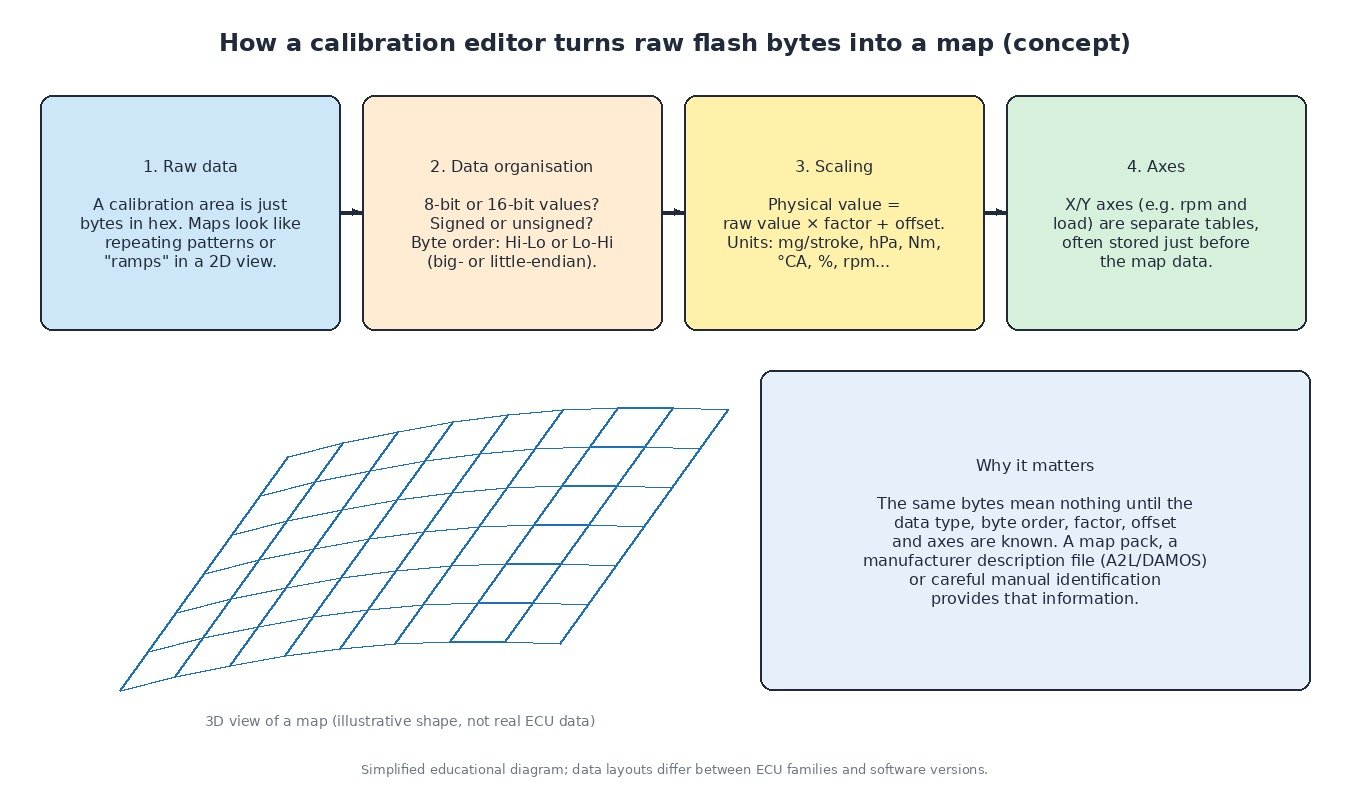
Inside the calibration, a map is simply a block of numbers. To turn it into something an engineer can edit, four things have to be known:
- Data organisation: whether each value is 8-bit or 16-bit (sometimes 32-bit or floating point), signed or unsigned, and in which byte order. Some processors store the high byte first, others the low byte first.
- Scaling: the physical value equals the raw value multiplied by a factor, plus an offset. Without the right factor, a fuel map in mg per stroke or a boost map in hPa shows meaningless numbers.
- Axes: most maps have an X and a Y axis, such as engine speed and load or engine speed and injected quantity. Axis values are separate small tables, often stored just before the map itself.
- Size and position: the start address, the number of columns and rows, and where the next structure begins.
This information can come from a manufacturer description file (A2L or DAMOS) where one is legitimately available, from a prepared map pack for that exact software version, or from manual identification. Manual work means spotting patterns in the 2D view, checking that the axes make physical sense, and comparing with known files of the same ECU family. A wrong guess about byte order or scaling produces values that look plausible but are not, which is why engineered files are built on verified definitions rather than guesswork.
Map families in a typical engine calibration
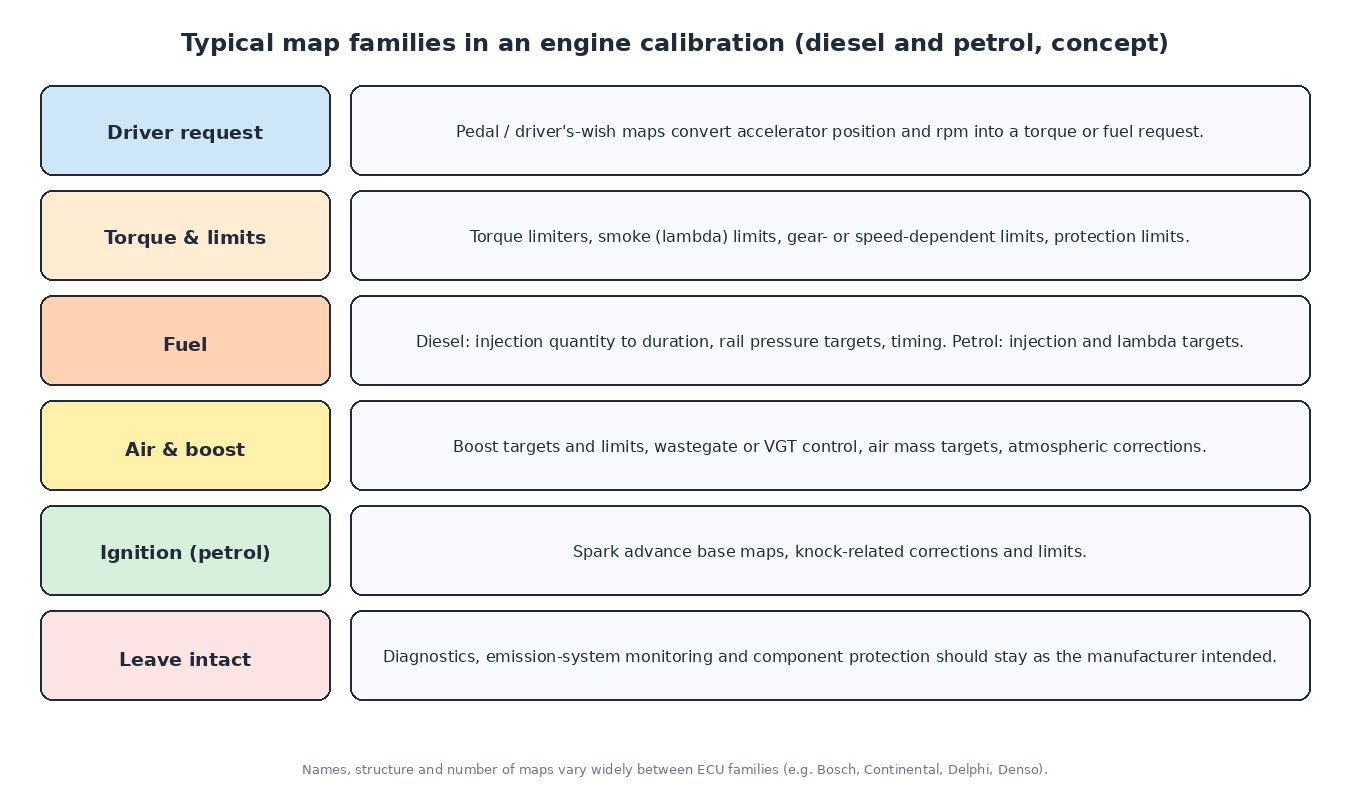
Names and structures differ between Bosch, Continental, Delphi, Denso and other ECU families, but the same functional groups appear again and again:
- Driver request: pedal or driver’s-wish maps convert accelerator position and engine speed into a torque or quantity request.
- Torque limits: overall limiters, gear- or speed-dependent limits, and protection limits based on temperature or atmospheric pressure.
- Smoke and lambda limits (diesel): the maximum fuel allowed for the measured air mass.
- Fuel: on diesels, rail pressure targets, start of injection and the conversion from quantity to injector energising time; on petrol engines, injection and lambda targets.
- Air and boost: boost pressure targets and limits, wastegate or VGT control, and air mass targets.
- Ignition (petrol): base spark advance and knock-related corrections.
Transmission controllers have their own calibrations with shift maps, torque limits and clutch or converter pressure data, which is why TCU files are engineered separately from the engine file.
Why maps must be edited together
Modern ECUs are torque-based. Raising one limiter on its own often achieves nothing, because another limit further down the chain still applies. Worse, if requested torque, injected quantity and the torque monitoring disagree, the ECU’s safety level can detect an implausible state and set a fault such as P061B. Boost targets that the turbo cannot reach cause underboost codes, and fuel demands above the pump’s capacity can cause low rail pressure codes. Good calibration engineering means following the full path from driver request to actuator and keeping every stage consistent, with component protection and diagnostics left working.
A workflow that protects the engine
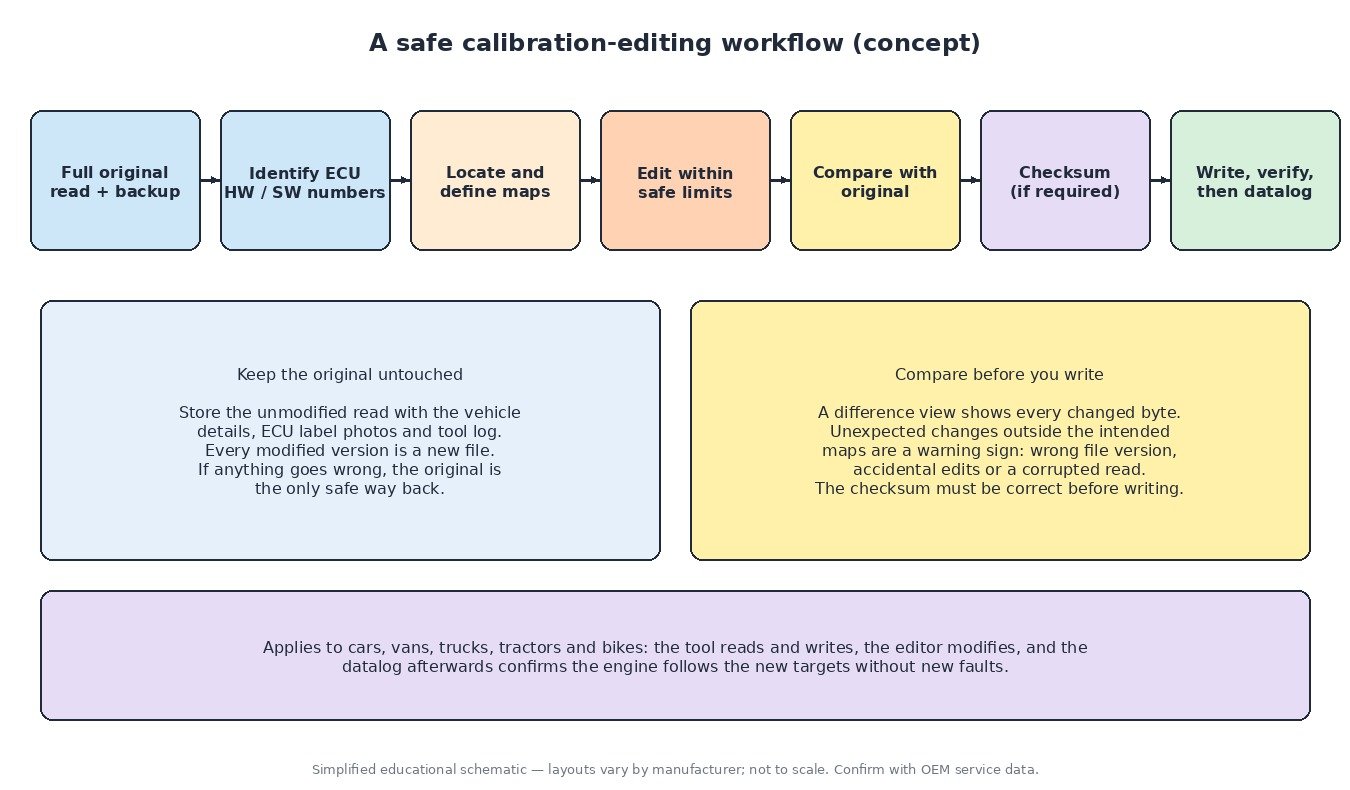
- Keep a complete original read, ideally including EEPROM where the method allows, together with ECU label photos and the tool’s log.
- Identify the hardware and software numbers so the right definitions are used.
- Locate and define the maps, then check the axes and scaling make physical sense.
- Edit within safe limits for the engine, turbocharger, fuel system and gearbox.
- Compare against the original. A difference view shows every changed byte; changes outside the intended maps point to a wrong file version or an accidental edit.
- Correct the checksum where required before writing. Many ECUs refuse to start, or set P0601 or P0605, if the checksum is wrong.
- Write, verify and datalog to confirm the engine follows the new targets without new faults.
Notes for trucks, tractors and bikes
Heavy-duty and agricultural ECUs often carry large calibrations with multiple power ratings, PTO and engine-speed governor functions, and J1939 communication with the gearbox and implements. Motorcycle ECUs are smaller but frequently have per-gear, per-cylinder and ride-mode tables. Emission systems such as DPF, EGR and SCR are monitored by the same calibration; responsible work keeps them operating as designed.
Checksums and engineered files on ECUFileMarket
On ECUFileMarket, engineered ECU and TCU files are built from your original read and delivered through the site’s upload flow. Checksum correction is a separate paid extra and is not included in file prices, so check whether you need it or whether your tool corrects checksums on write.
Related fault codes (DTCs)
Generic OBD-II codes (SAE J2012) commonly seen after failed programming, mismatched software or inconsistent calibration changes. Manufacturer wording varies, and heavy-duty vehicles may report equivalent J1939 SPN/FMI codes.
| Code | Meaning | Typical causes |
|---|---|---|
| P0601 | Internal Control Module Memory Check Sum Error | Modified file written without a correct checksum, corrupted flash after an interrupted write, internal ECU fault |
| P0602 | Control Module Programming Error | Incomplete or failed programming session, software not matching the hardware, unprogrammed replacement ECU |
| P0603 | Internal Control Module Keep Alive Memory (KAM) Error | Loss of permanent battery supply, battery disconnected during learning, internal memory fault |
| P0604 | Internal Control Module Random Access Memory (RAM) Error | Internal ECU hardware fault, sometimes after supply voltage problems |
| P0605 | Internal Control Module Read Only Memory (ROM) Error | Corrupted or incompatible software, failed flash write, internal memory fault |
| P0606 | Control Module Processor | Internal processor or monitoring-module fault, supply or ground problems, damaged ECU |
| P062F | Internal Control Module EEPROM Error | EEPROM data corrupted or mismatched, wrong EEPROM written back after bench work, internal fault |
| P061B | Internal Control Module Torque Calculation Performance | Torque monitoring detects implausible torque values, inconsistent edits between torque-related maps, internal fault |
| P0610 | Control Module Vehicle Options Error | Variant coding missing or not matching the vehicle, ECU from a different vehicle or variant |
| P0630 | VIN Not Programmed or Incompatible – ECM/PCM | VIN not written to a replacement ECU, VIN mismatch with other modules |
| P0560 | System Voltage | Weak battery, charging faults, poor grounds; low voltage during reading or writing is a common cause of failed programming |
| P0234 | Turbocharger/Supercharger “A” Overboost Condition | Boost target above what the control system can hold, boost control faults, sticking VGT vanes or wastegate |
| P0299 | Turbocharger/Supercharger “A” Underboost Condition | Boost leaks, actuator faults, or a target the turbocharger cannot reach |
| P0087 | Fuel Rail/System Pressure – Too Low | Restricted fuel supply, weak pump, or demand above the fuel system’s capacity |
| P0088 | Fuel Rail/System Pressure – Too High | Pressure control valve or metering valve faults, sensor errors, inconsistent rail pressure targets |
| P0219 | Engine Overspeed Condition | Engine exceeded its programmed speed limit, for example on a missed downshift or overrun |
| U0100 | Lost Communication With ECM/PCM “A” | ECU not responding on the network, power or ground loss, ECU left in programming mode, CAN wiring faults |
Closing
A calibration editor is only as good as the definitions and the discipline behind it: correct data organisation, correct scaling, consistent maps and a protected original. That is the difference between a file that is simply changed and a file that is engineered.
Need an engineered ECU or TCU file built from your original read? Upload your file at ECUFileMarket.