
Every time a modified file is written to an engine or transmission control unit, one small detail decides whether the vehicle starts normally or refuses to run: the checksum. Checksums are how a control unit confirms that its software and calibration data are complete and unchanged. This guide explains what ECU checksums are, how control units check them, what happens when they are wrong, and how professional tuning tools handle them on cars, trucks, agricultural machines and motorcycles.
What a checksum actually is
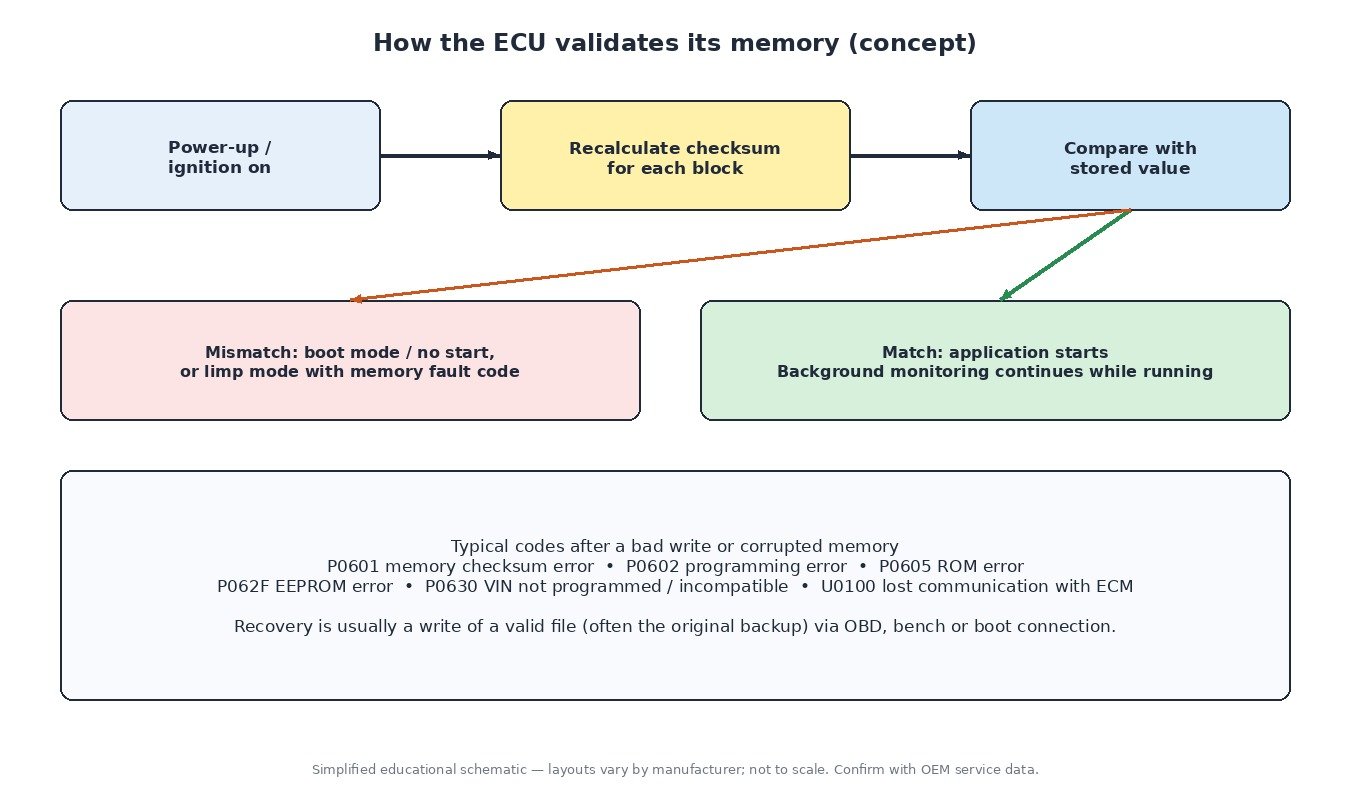
A checksum is a short value calculated from a block of data. If even one byte in that block changes, the calculated result changes too. The control unit stores the expected value alongside the data, recalculates it, and compares the two. If they match, the data is treated as intact. If they do not, the ECU assumes the memory is corrupted.
The simplest form is an additive checksum: the bytes or words in a region are added together and the result, or its complement, is stored. More robust designs use a cyclic redundancy check (CRC), which detects many more error patterns, including swapped or shifted bytes. Many control units combine several methods across different memory regions.
How ECU memory is organised
The flash memory in a typical control unit is divided into areas with different jobs:
- Bootloader – starts the processor, checks the rest of the memory and handles reprogramming.
- Application software – the program code that runs the engine or gearbox functions.
- Calibration data – the maps, curves and constants: torque limits, boost targets, injection and ignition tables, limiters and so on.
Each of these areas can carry its own checksum, and larger calibration areas are often split into several blocks, each with its own value. Separate EEPROM or emulated-EEPROM data, which stores adaptations, coding and immobiliser-related information, is usually protected by its own integrity checks.
When and why the ECU checks
Most control units verify checksums at power-up, before they allow the application to run. Many also keep checking memory in the background while the engine is running, as part of a layered monitoring concept that watches the processor, memory and torque calculation for safety reasons. Corrupted calibration data could command the wrong torque, fuel quantity or boost, so the ECU is designed to detect it and react.
The reaction depends on the design. Typical results of a checksum mismatch are:
- The ECU stays in boot or programming mode and the engine cranks but does not start.
- The ECU starts but sets an internal memory fault code and runs in a reduced-power mode.
- Communication works only through a boot or bench connection until a valid file is written.
Checksums, signatures and modern ECUs
Newer control units increasingly add cryptographic signatures on top of classic checksums. A checksum only proves the data is consistent; a signature also proves it came from an authorised source. That is why some recent ECU generations cannot be written through the normal OBD programming routine at all, and why tool makers release specific protocols for each family. From a technician’s point of view the rule is simple: if your tool does not list a protocol for that exact ECU and software version, do not try to force a write.
How tuning tools handle checksums
Master tools such as KESS, K-TAG, Autotuner and Flex usually recalculate the checksums automatically for the protocols they support when a modified file is written. WinOLS, the most widely used calibration editor, handles checksums through optional modules for specific ECU families, so the file is corrected before it leaves the editor. In both cases the correction only works when the tool correctly identifies the ECU, the software version and the memory layout.
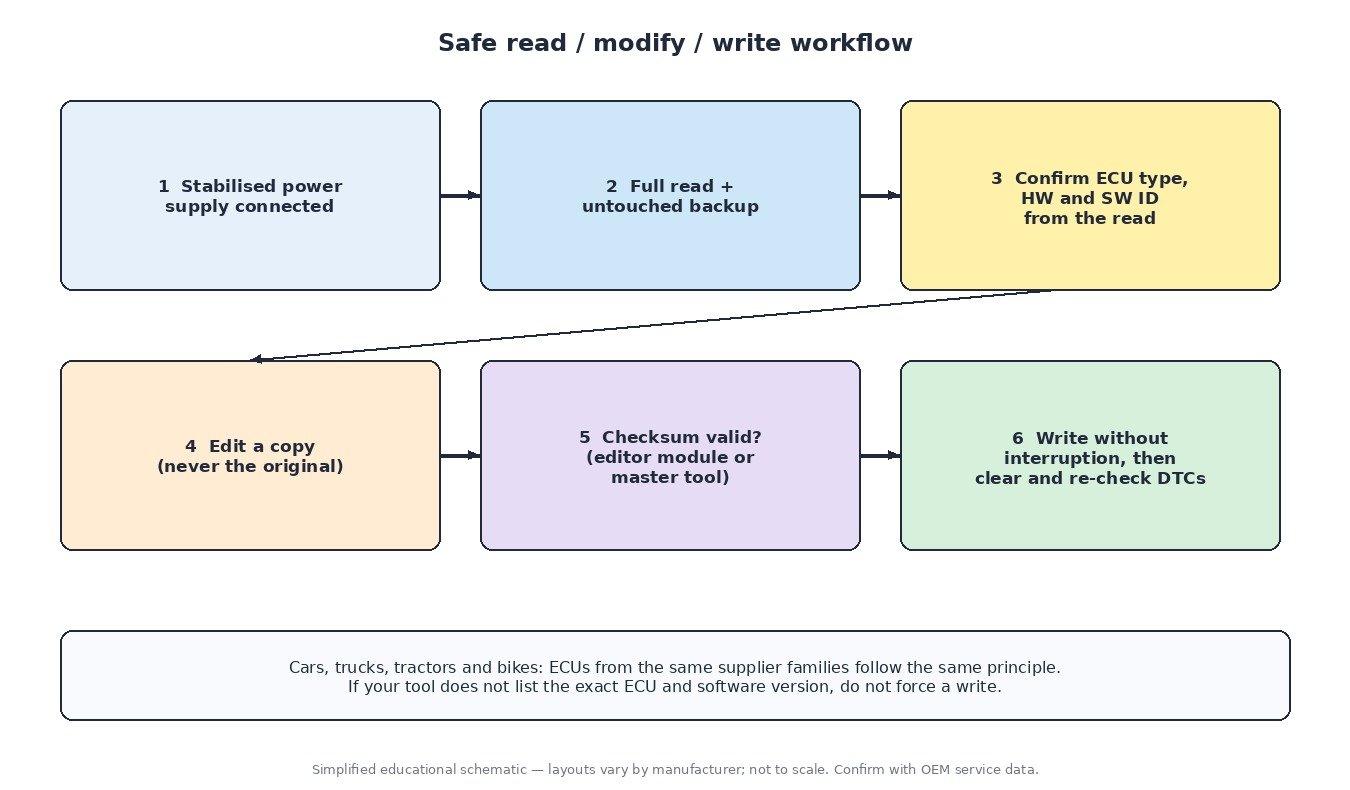
Problems typically come from files that were edited with the wrong definition, files read with a different tool format and converted incorrectly, partial reads, or writes that were interrupted. A good workflow catches these before the write.
Related fault codes (DTCs)
| Code | Meaning | Typical causes |
|---|---|---|
| P0601 | Internal Control Module Memory Check Sum Error | Incorrect checksum after modification, corrupted flash, interrupted programming, internal ECU fault |
| P0602 | Control Module Programming Error | Module not programmed or programming incomplete, wrong software loaded |
| P0603 | Internal Control Module Keep Alive Memory (KAM) Error | Loss of permanent supply, battery disconnection, poor ground, internal fault |
| P0604 | Internal Control Module Random Access Memory (RAM) Error | Internal ECU fault, supply voltage problems |
| P0605 | Internal Control Module Read Only Memory (ROM) Error | Corrupted flash memory, failed or interrupted reprogramming, internal fault |
| P0606 | Control Module Processor | Internal processor or monitoring fault, supply or ground issues |
| P0607 | Control Module Performance | Internal ECU fault, unstable supply voltage |
| P062F | Internal Control Module EEPROM Error | Corrupted EEPROM data, interrupted write, internal fault |
| P0610 | Control Module Vehicle Options Error | ECU not coded or configured for the vehicle variant |
| P0614 | ECM / TCM Incompatible | Mismatched software or part numbers after replacement or reflash |
| P0630 | VIN Not Programmed or Incompatible – ECM/PCM | Replacement or reflashed ECU without the correct VIN, wrong EEPROM data |
| U0100 | Lost Communication With ECM/PCM “A” | ECU stuck in boot mode after a failed write, power or ground loss, CAN wiring fault |
Safe workflow for technicians
- Use a stabilised power supply during reading and writing, on the bench and on the vehicle.
- Make a complete read and keep an untouched backup of the original file, plus the EEPROM where your tool supports it.
- Confirm the ECU type, hardware number and software version from the read, not just from the label.
- Never edit the original backup. Work on a copy and keep a clear file history.
- Check that the checksum is reported as correct, by the editor or the master tool, before writing.
- Do not interrupt a write, and clear and re-check fault codes afterwards.
What it means for tuning
The checksum does not change performance, but a wrong checksum can stop an otherwise perfect calibration from running. That is why an engineered file is only finished when its integrity data matches the target ECU and the write method the customer will use. If you receive a file, always confirm with the supplier whether it is delivered checksum-corrected or whether your tool will correct it on write.
Need an engineered tuning file for your ECU? Upload your original read at ECUFileMarket. Checksum correction is available as a separate option.